A New Sun
technical Stealth design
Introduction
I’ve created a thrid-person stealth experience, inspired by the Plague Tale games. With my own AI I’ve tried to recreate parts of the stealth game loop to learn more about designing around stealth levels, and creating blueprints to accomidate the gameplay.
Goals for this project
- Explore stealth design
- Explore Unreals Behaviors Tree
- AI implementation
- Create a distract system
- Use the Environment Query System
Project details
- Develop time: 4 Weeks half-time
- Engine: Unreal Engine 5
- Level Design, Technical
- Level assets made in Blender
External Assets
- Blockout Tools
Overview
Pre-production & Planning
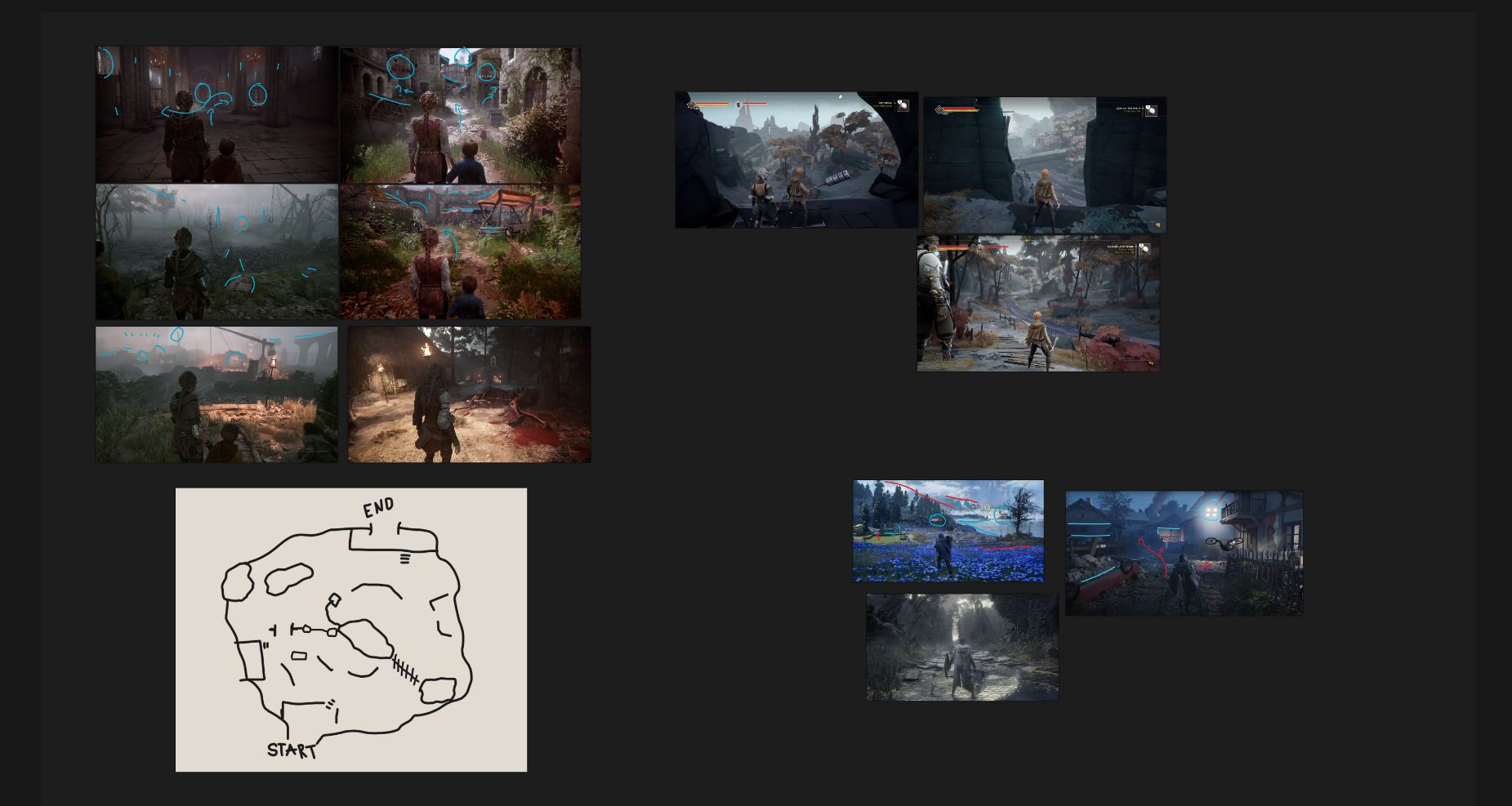
Before any work is done in engine. I like to give myself a good understanding of what it is I need to do. By using sprint goals and structure my work, it helps to keep my scope in check, and provide me a good understanding of what needs to be done.
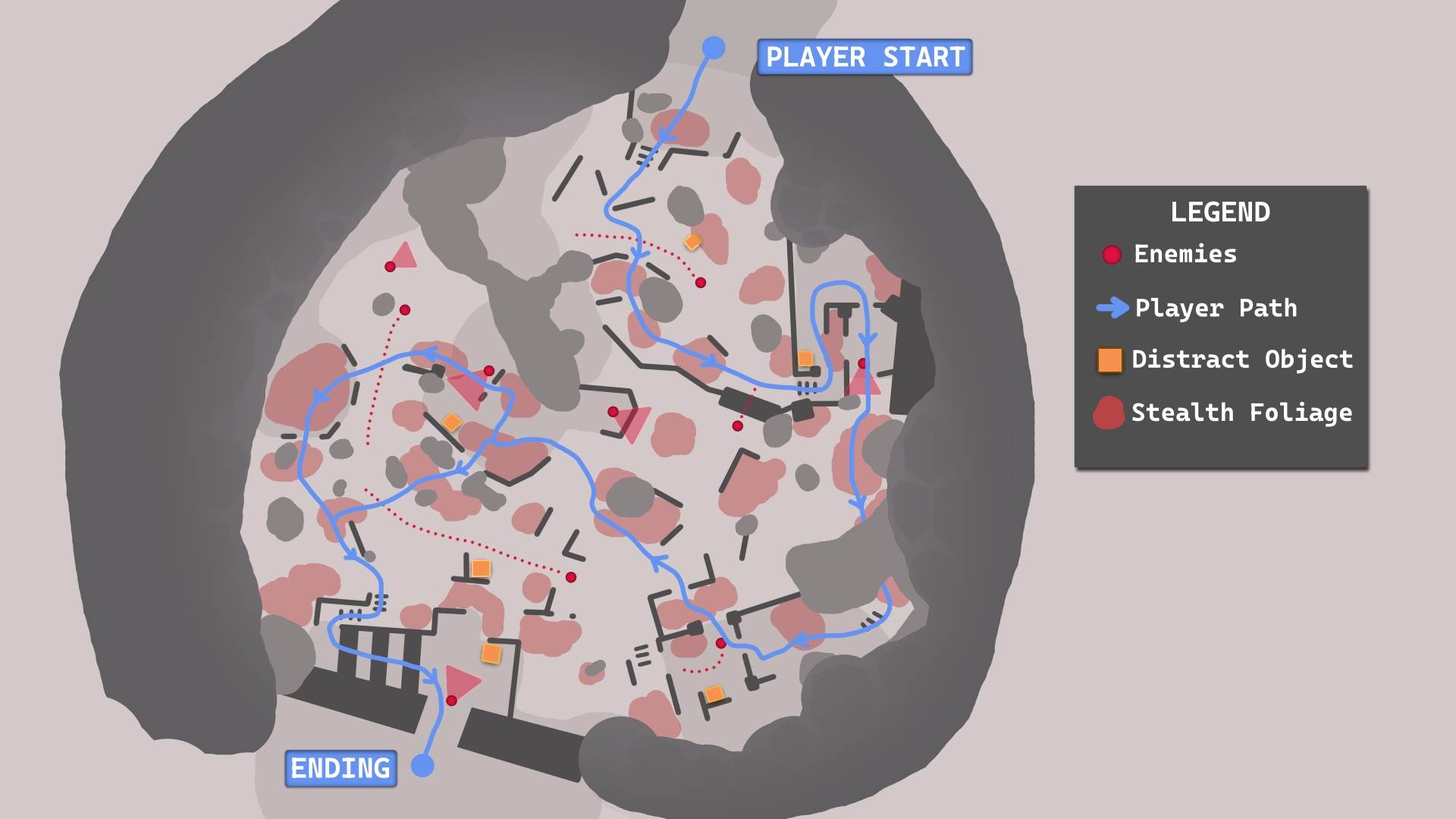
For this project I researched other games. Mainly Plague Tale, since it’s my main reference. I also made a quick top-down to give me an idea of how the level will flow and play out.
Plan and test the stealth design
When designing the AI enemy, I made sure to test between iterations, how it felt to roam around an enemy, and to flee from them and get back to cover.
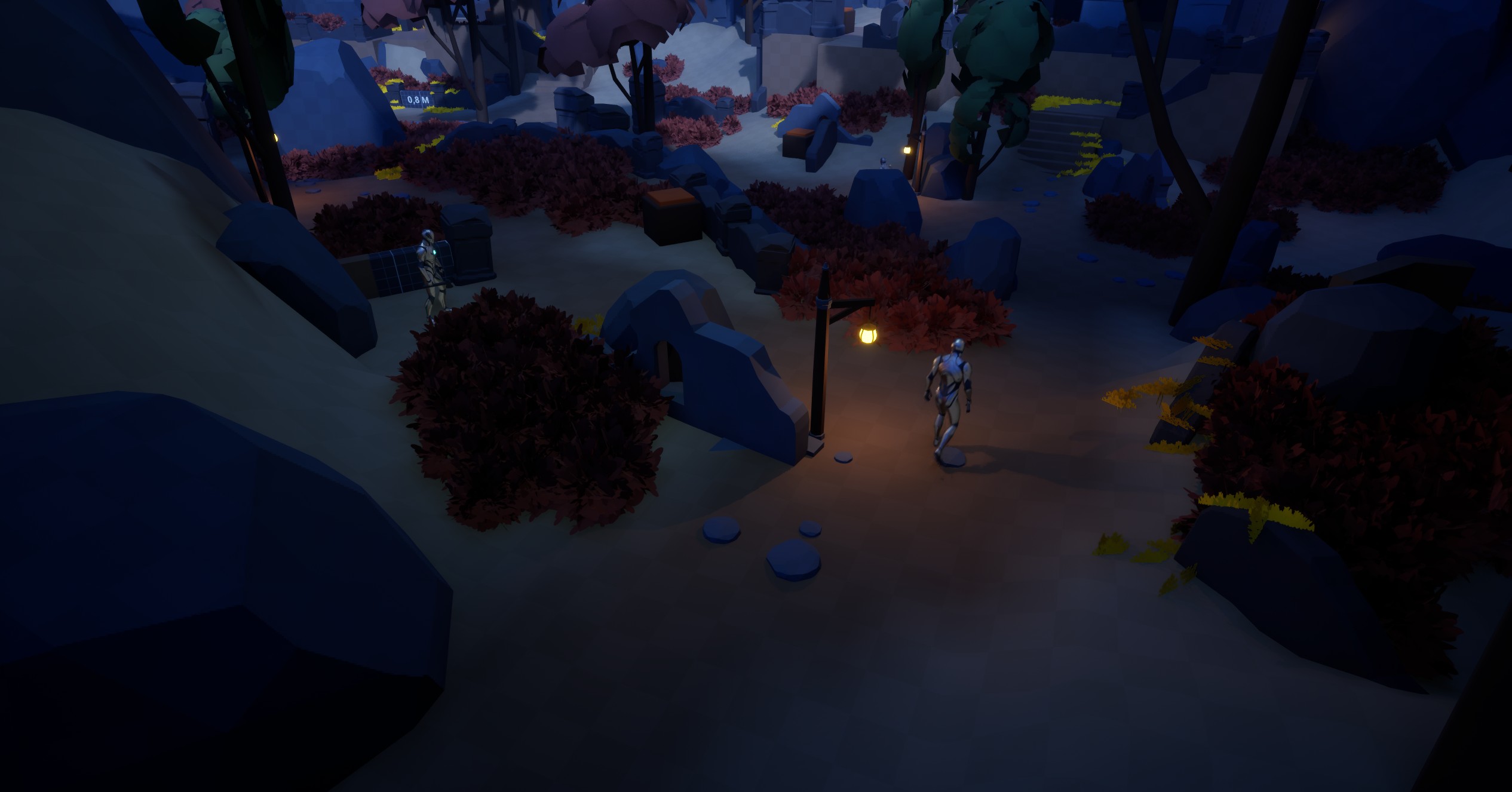
It was important to design many opportunities for the player to move around walls, and other objects. This helps to slow the enemy down and give the player more options to hide.
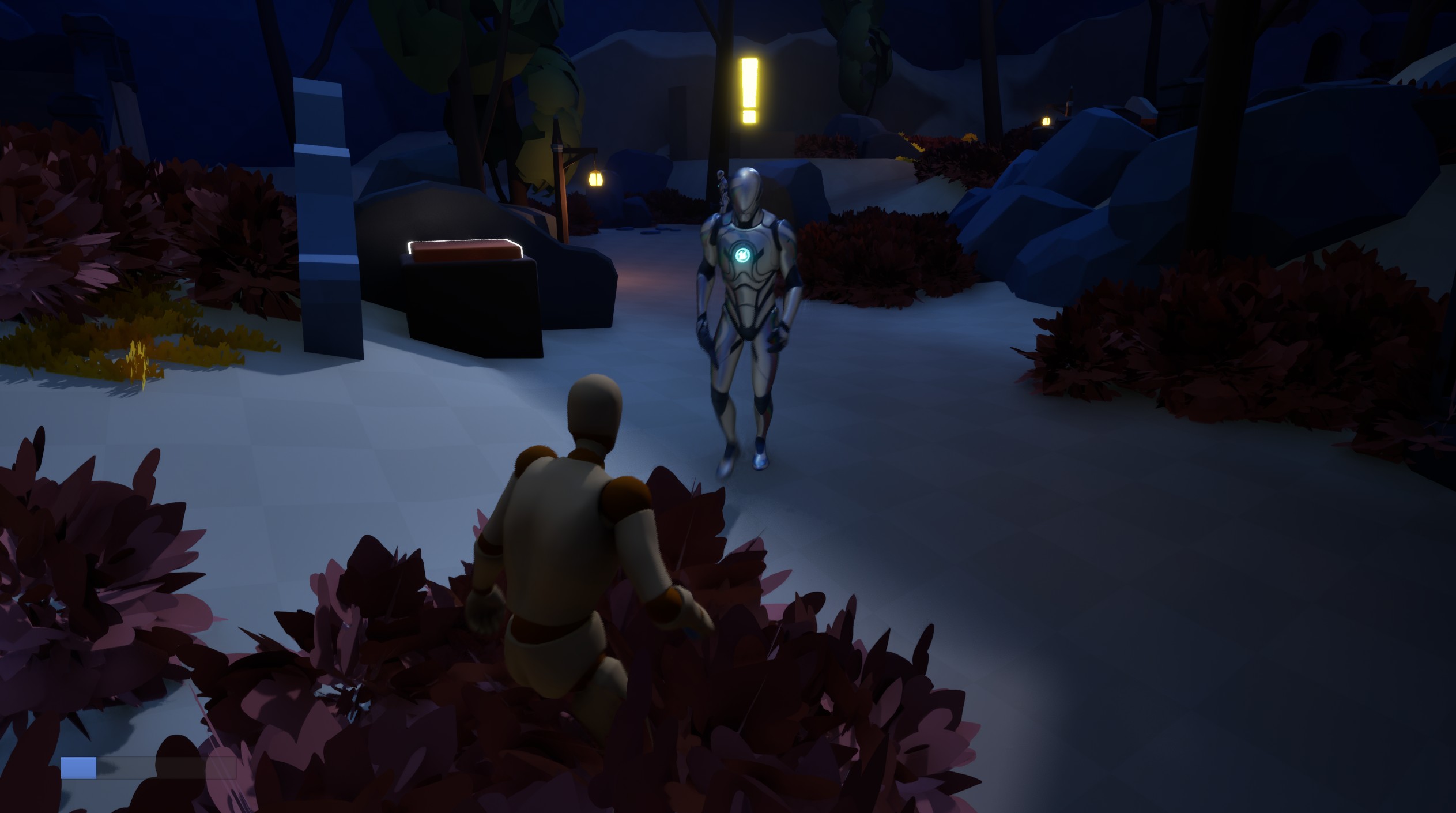
Before I made my foliage to work as hiding spots, I used cubes with a visibility blocking to test the functionality.
By giving the foliage that works as hiding spots a red tone color, it stands out more and is easy for the player to find.
The blockout process
I try to work quick with my iterations, and not get stuck with minor details to get the flow going. I want to reach a playable stage as quick as possible. So that I’ll have more time for playtesting with feedback. But still keep the quality.
Whenever I’ve made a larger iteration, I make sure to playtest and ask for feedback so that I never lose sight of what’s most important, gameplay.
Gameplay
The main mechanic - Distract
This is the core mechanic of the level. The idea is simple. Player can pick up rocks from the ground, and throw them at a specific object to make an distracting sound that alerts the AI. The AI will then move towards the location of the sound and investigate. This will create an opportunity for the player to sneak by. So, what we need is a way to track how many rocks the player has. This is done in the Player Blueprint Component. In here we also implement the Draw Projectile Curve event. This is a visual that shows when the player requests to throw, by using an input action. This action will be called if the player has a rock to throw. Otherwise the player will need to find more rocks.
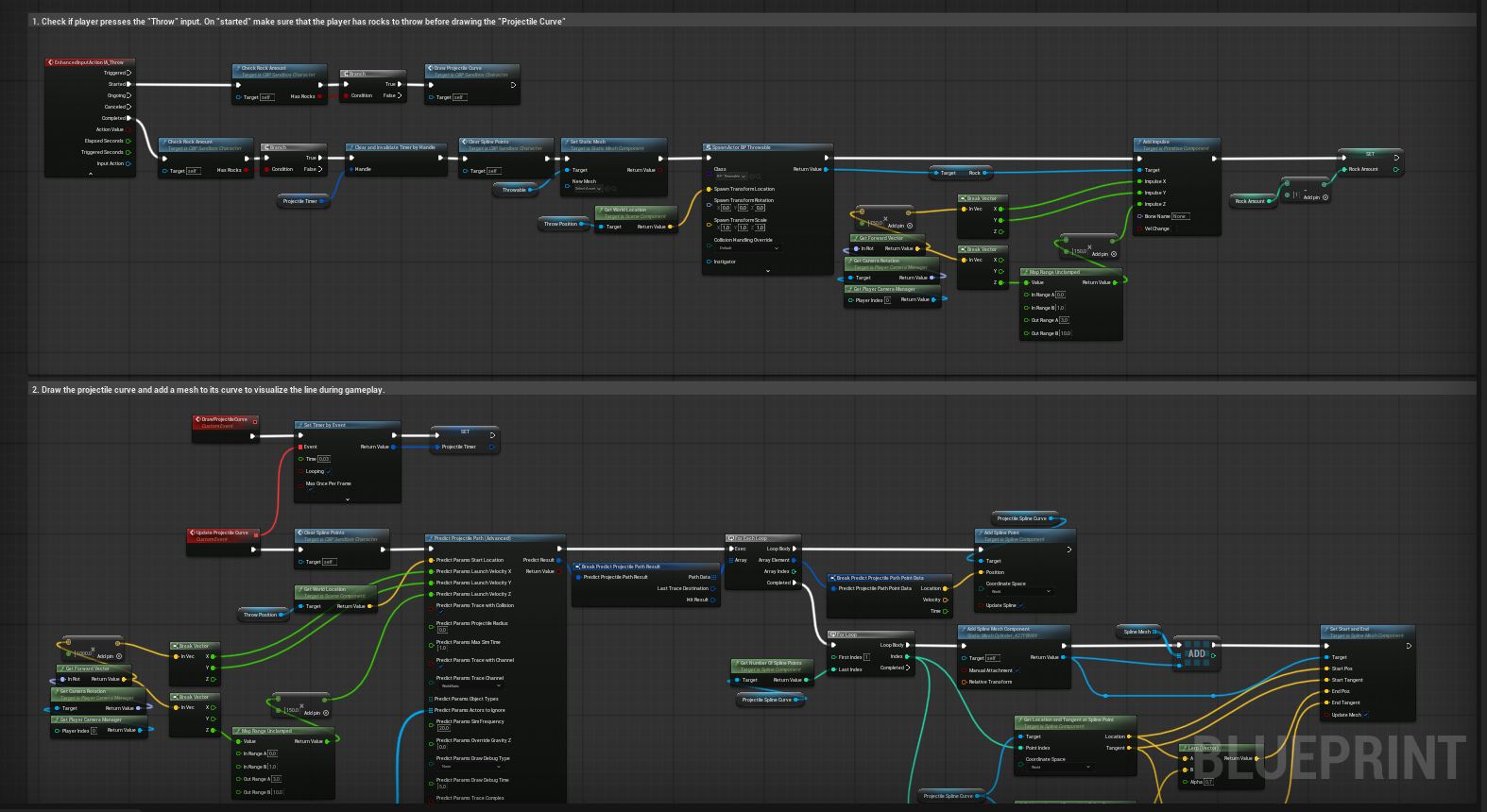
To keep the Blueprints clean I make use of the Function Library. Especially if the Function I make is meant to be used more than once or in other places.
Sound Alerts the enemy
I designed the object that can be used to distract the enemies with a highlight on top to signal the player where to throw. With the help of a curved line that shows the player where the rock is being thrown, they can plan where to throw.
Combine traversal & Distract
Here we see how the player tricks an enemy to move away from its guard so they can make a quick traversal past the wall and get to a new cover. This represents the stealth-loop.
The AI
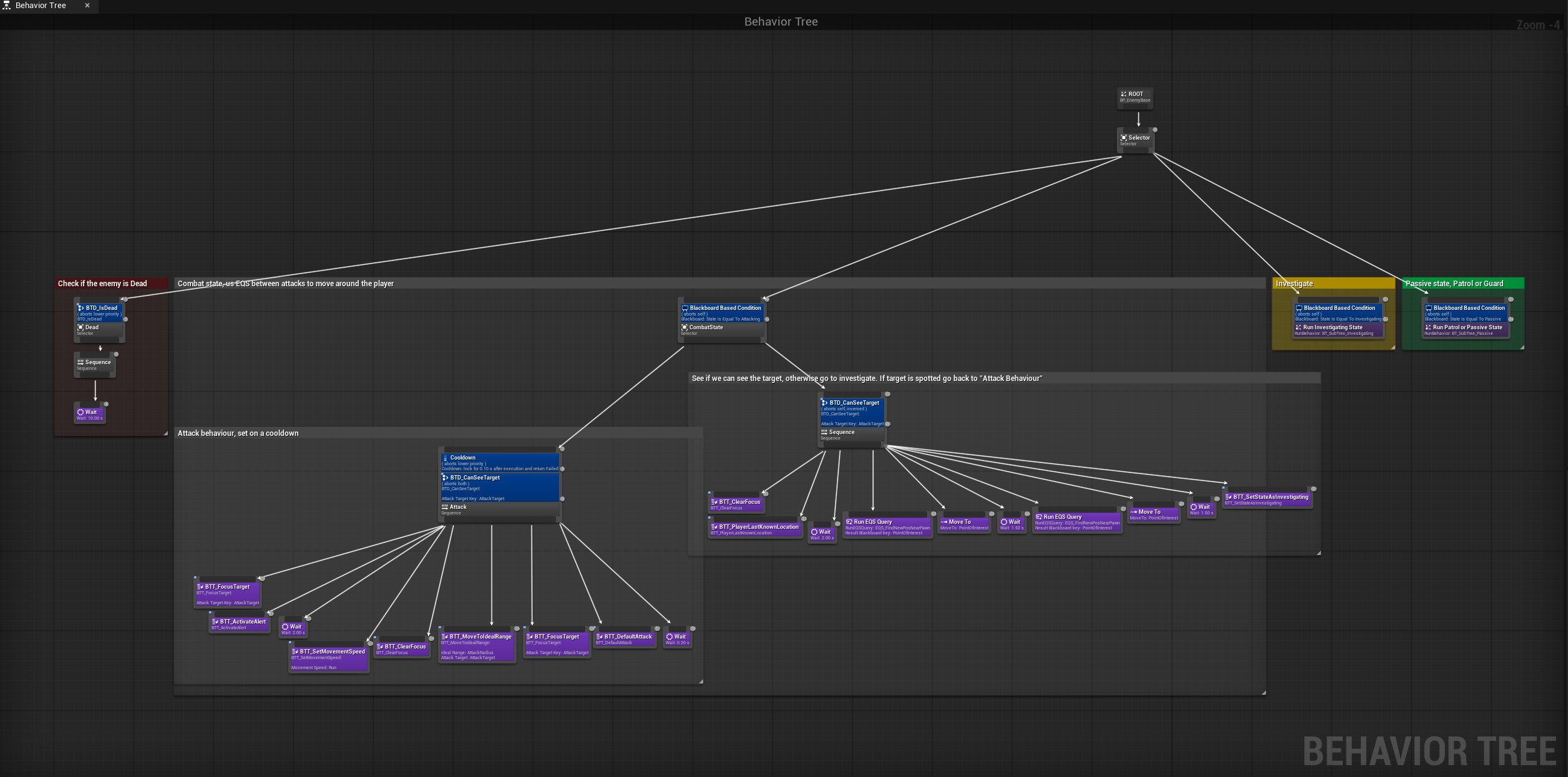
Behavior Tree and Sub-trees
In the behavior tree I tried to keep it clean and structured. With sub-trees I can compress parts of the trees and have some behaviors be called from other trees. One of the new things I played around with in this project was implementing EQS and cooldowns for the AI.
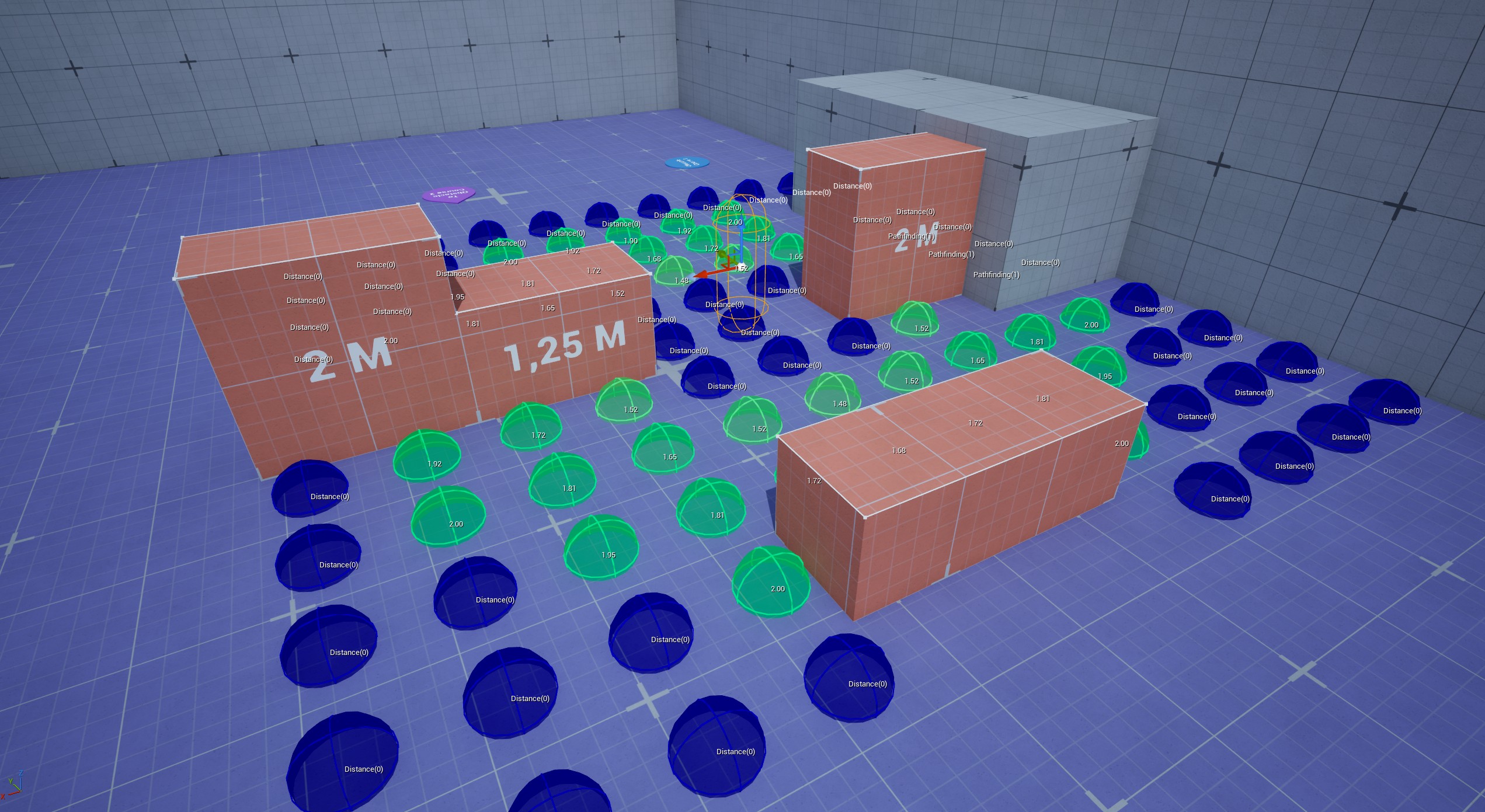
Environment Query System
For this project I had practised using EQS to give the AI more flexibility. For this stealth level I used it to have the enemy roam around the player between attacks to make them more unpredictable. It’s also used to give the enemy places to search for the player when they lose sight of them. This also helped to make the AI seem smarter, and dangerous.
Attacking AI
For the project I also wanted to make sure that the player could be attacked by the enemy and take damage. Here I demonstrate how the AI will see, attack, and search for the player.
designing the stealth space
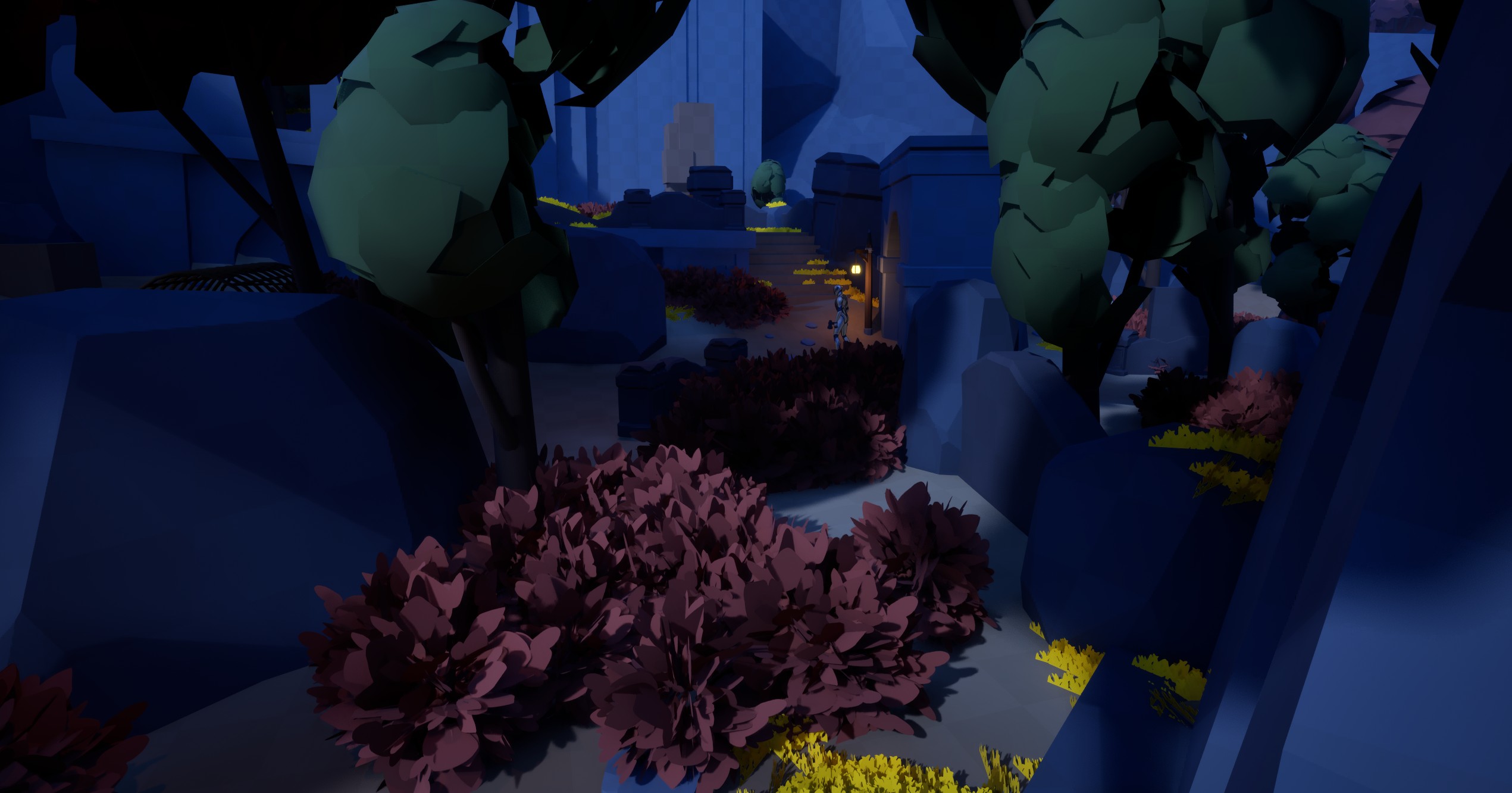
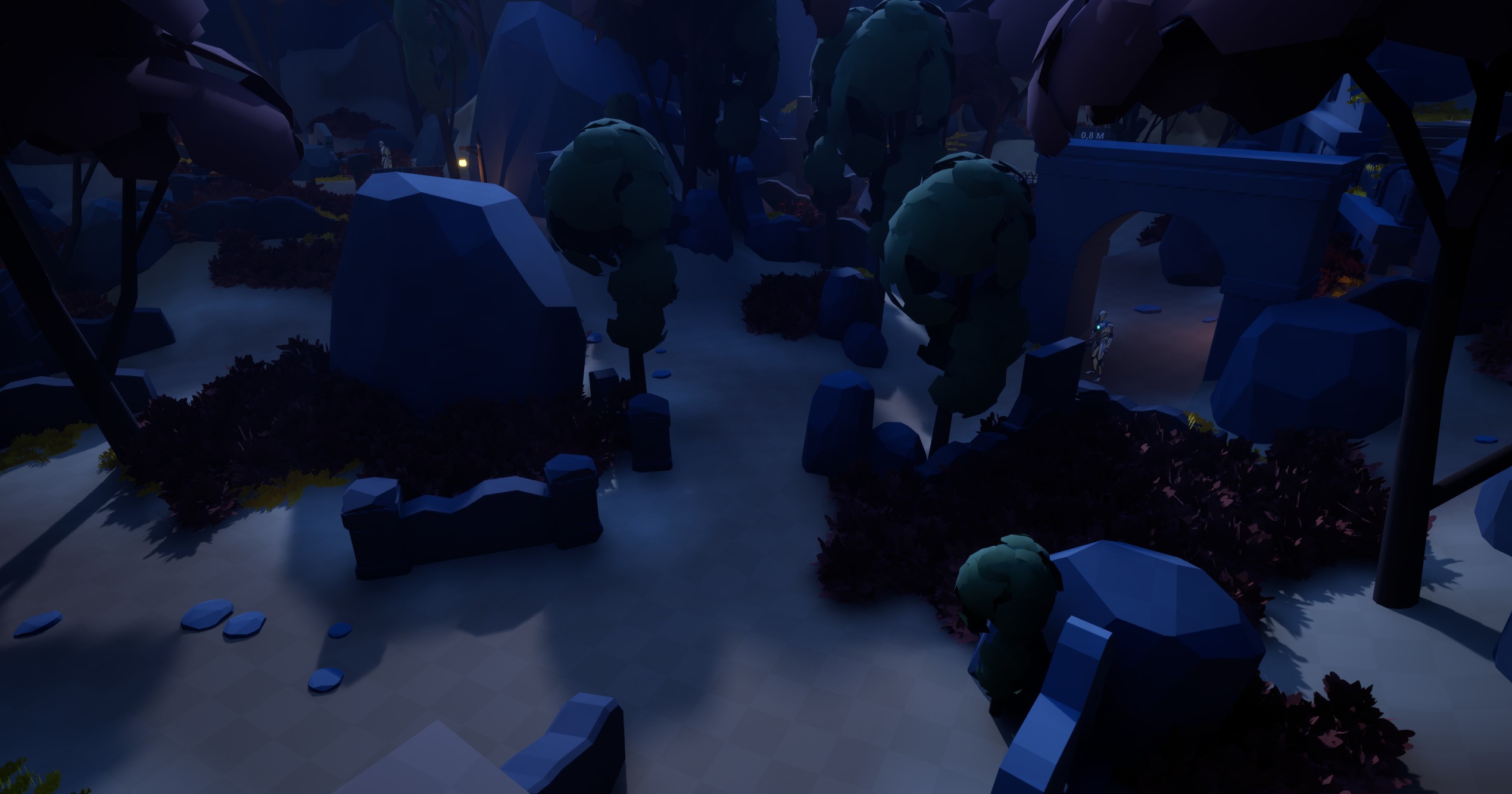
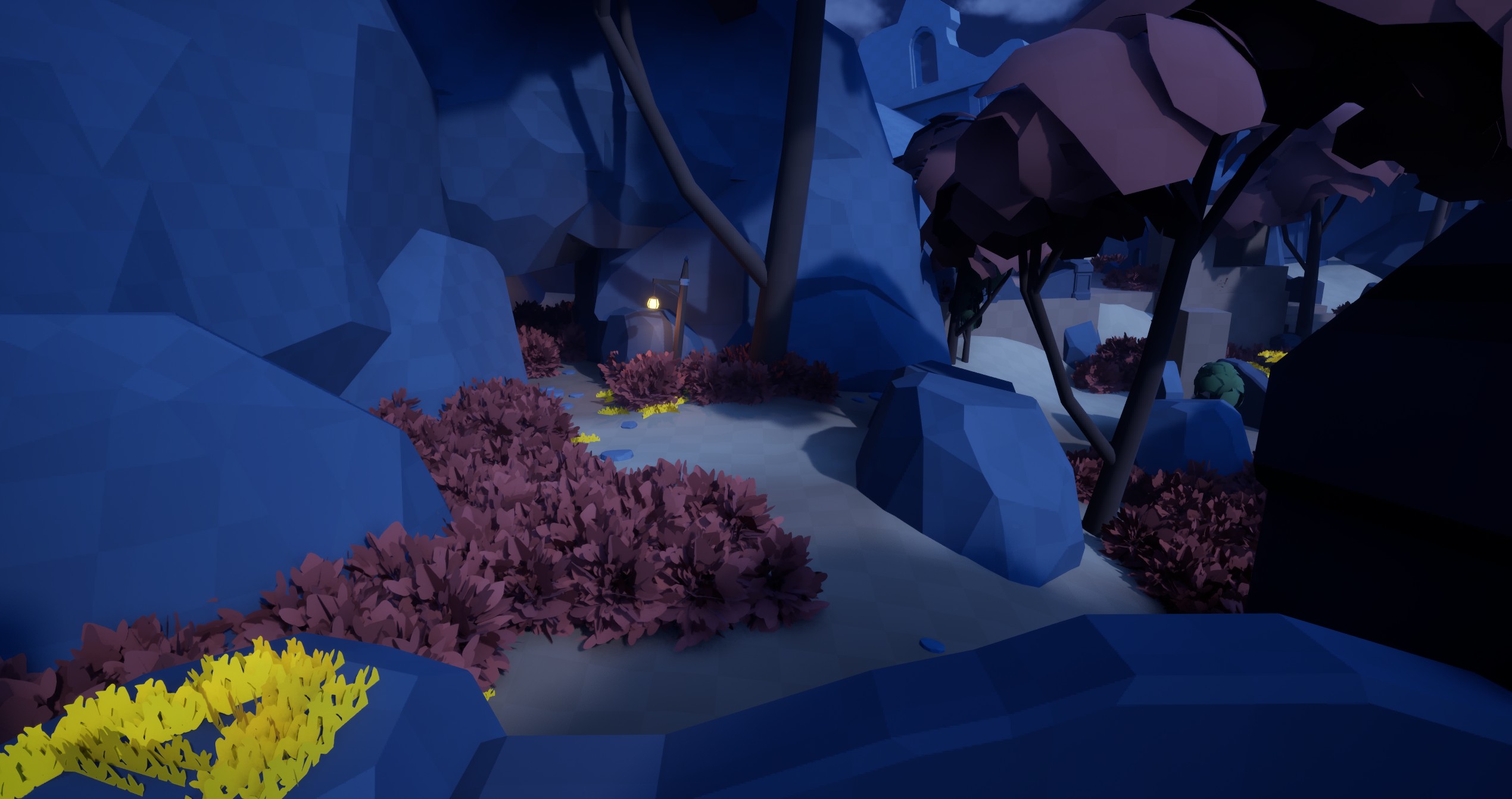
Designing the stealth space proved to be more challenging then I first predicted. Finding the right balance of open space and danger for the player to navigate is difficult, and requires someone else to constantly playtest and feedback on iterations. So with the help of 2-3 other designers I could continuously update and see what improves the experience. My first goal was to have a main path that I wanted the player to follow. When that worked and testers followed it well, I started to design extra paths that would break up the experience. This addition was well received and made the experience feel more unique for each player.
Closing thoughts
This project had many challenges. Making the AI feel somewhat intelligent, finding a balance in how many enemies there should be, and designing for prospect and refuge in a confined stealth space. If I had been given more time with the project, I would have wanted to make the AI be able to call out to each other, highlight enemies’ positions when they are off-camera, and add an objective in the level that the player needs to do before escaping.
My respect for stealth design has grown, and I look forward to the next time I get to design a stealth level. There are so many things to take into consideration. However, having others play my level, gave me hope and confidence. A majority took the main path, and when they wandered off, they seemed to enjoy the challenge, even when the AI overwhelmed them at times.
Thank you for reading.